
概念安装ipfs
refer to:
https://docs.ipfs.tech/how-to/
https://docs.ipfs.tech/install/server-infrastructure/#create-a-local-cluster
什么是IPFS?
ipfs: 是一个类似于 百度网盘一样的东西, 大家都可以上传文件。 全世界有好多个节点(例如100W个)。 东西存放在哪里,并不清楚,只要知道我们可以随时使用就可以了
https://cloudflare-ipfs.com/ipfs/
上面的网址,是一个专门查看IPFS资料的入口。
使用方式:
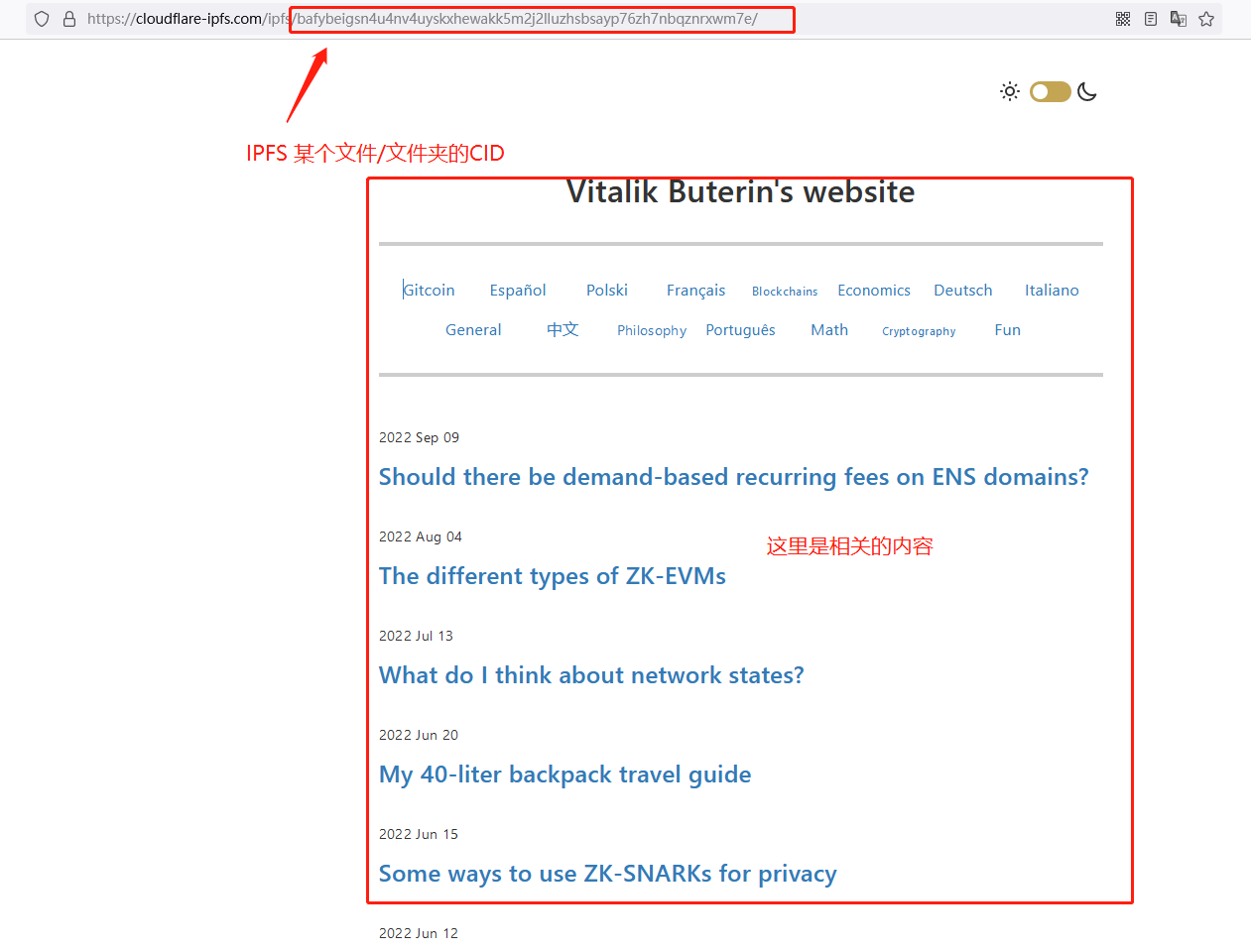
https://cloudflare-ipfs.com/ipfs/bafybeigsn4u4nv4uyskxhewakk5m2j2lluzhsbsayp76zh7nbqznrxwm7e/
入口 + ipfs_cid 方式,就可以查看了。例如:
安装 ipfs cluster
1. cd /opt/app
wget https://dist.ipfs.tech/ipfs-cluster-ctl/v1.0.2/ipfs-cluster-ctl_v1.0.2_linux-amd64.tar.gz
2. tar zxvf ipfs-cluster-ctl_v1.0.2_linux-amd64.tar.gz
ipfs-cluster-ctl/LICENSE
ipfs-cluster-ctl/LICENSE-APACHE
ipfs-cluster-ctl/LICENSE-MIT
ipfs-cluster-ctl/README.md
ipfs-cluster-ctl/ipfs-cluster-ctl
3. cd /opt/app/ipfs-cluster-ctl
wget https://raw.githubusercontent.com/ipfs/ipfs-cluster/v1.0.2/docker-compose.yml
建议跳过上面的wget方式,直接使用这个现成的yml:
version: '3.4'


services:

  ipfs0:
    container_name: ipfs0
    image: ipfs/go-ipfs:latest
    ports:
     - "4001:4001" # ipfs swarm - expose if needed/wanted
     - "5001:5001" # ipfs api - expose if needed/wanted
     - "8080:8080" # ipfs gateway - expose if needed/wanted
    volumes:
      - ./compose/ipfs0:/data/ipfs

  cluster0:
    container_name: cluster0
    image: ipfs/ipfs-cluster:latest
    depends_on:
      - ipfs0
    environment:
      CLUSTER_PEERNAME: cluster0
      CLUSTER_SECRET: ${CLUSTER_SECRET} # From shell variable if set
      CLUSTER_IPFSHTTP_NODEMULTIADDRESS: /dns4/ipfs0/tcp/5001
      CLUSTER_CRDT_TRUSTEDPEERS: '*' # Trust all peers in Cluster
      CLUSTER_RESTAPI_HTTPLISTENMULTIADDRESS: /ip4/0.0.0.0/tcp/9094 # Expose API
      CLUSTER_MONITORPINGINTERVAL: 2s # Speed up peer discovery
    ports:
          # Open API port (allows ipfs-cluster-ctl usage on host)
          - "127.0.0.1:9094:9094"
          # The cluster swarm port would need  to be exposed if this container
          # was to connect to cluster peers on other hosts.
          # But this is just a testing cluster.
          # - "9095:9095" # Cluster IPFS Proxy endpoint
          # - "9096:9096" # Cluster swarm endpoint
    volumes:
      - ./compose/cluster0:/data/ipfs-cluster
4. sudo docker-compose up
首次运行会报错,或者直接 docker-compose的output会退出(此时docker ps 还是能看到进程还在的)
不要紧。
sudo docker-compose down 之后,再 up 一下,就可以看到了:
cluster0    | 2022-09-03T09:58:53.726Z  INFO    crdt    go-ds-crdt@v0.3.6/set.go:122    Tombstones have bloomed: 0 tombs. Took: 1.206637ms
.....
ipfs2       | Swarm announcing /ip4/127.0.0.1/tcp/4001
ipfs2       | Swarm announcing /ip4/127.0.0.1/udp/4001/quic
ipfs2       | Swarm announcing /ip4/172.21.0.3/tcp/4001
ipfs2       | Swarm announcing /ip4/172.21.0.3/udp/4001/quic
ipfs2       | API server listening on /ip4/0.0.0.0/tcp/5001
ipfs2       | WebUI: http://0.0.0.0:5001/webui
ipfs2       | Gateway (readonly) server listening on /ip4/0.0.0.0/tcp/8080
ipfs2       | Daemon is ready
5. 测试一下:
./ipfs-cluster-ctl peers ls
12D3KooWJVr1aKmU63ZFyEr2NBbWDjfRfPLmXH6hYsEhd56qM1Gf | cluster0 | Sees 2 other peers
  > Addresses:
    - /ip4/127.0.0.1/tcp/9096/p2p/12D3KooWJVr1aKmU63ZFyEr2NBbWDjfRfPLmXH6hYsEhd56qM1Gf
    - /ip4/172.21.0.7/tcp/9096/p2p/12D3KooWJVr1aKmU63ZFyEr2NBbWDjfRfPLmXH6hYsEhd56qM1Gf
  > IPFS: 12D3KooWNYBzSDtPeQrdNMGdiYfzdCwCy15F8PVNNZ7P19VZgPgB
    - /ip4/127.0.0.1/tcp/4001/p2p/12D3KooWNYBzSDtPeQrdNMGdiYfzdCwCy15F8PVNNZ7P19VZgPgB
    - /ip4/127.0.0.1/udp/4001/quic/p2p/12D3KooWNYBzSDtPeQrdNMGdiYfzdCwCy15F8PVNNZ7P19VZgPgB
    - /ip4/145.40.96.233/tcp/4001/p2p/12D3KooWEGeZ19Q79NdzS6CJBoCwFZwujqi5hoK8BtRcLa48fJdu/p2p-circuit/p2p/12D3KooWNYBzSDtPeQrdNMGdiYfzdCwCy15F8PVNNZ7P19VZgPgB
    - /ip4/145.40.96.233/tcp/4002/ws/p2p/12D3KooWEGeZ19Q79NdzS6CJBoCwFZwujqi5hoK8BtRcLa48fJdu/p2p-circuit/p2p/12D3KooWNYBzSDtPeQrdNMGdiYfzdCwCy15F8PVNNZ7P19VZgPgB
    - /ip4/172.21.0.4/tcp/4001/p2p/12D3KooWNYBzSDtPeQrdNMGdiYfzdCwCy15F8PVNNZ7P19VZgPgB
    - /ip4/172.21.0.4/udp/4001/quic/p2p/12D3KooWNYBzSDtPeQrdNMGdiYfzdCwCy15F8PVNNZ7P19VZgPgB
    - /ip4/34.230.76.95/tcp/4001/p2p/12D3KooWGSTktoeDZ1u59v9aynwgUpipskYjXhW89jZTvTbL7NUy/p2p-circuit/p2p/12D3KooWNYBzSDtPeQrdNMGdiYfzdCwCy15F8PVNNZ7P19VZgPgB
    - /ip4/34.230.76.95/udp/4001/quic/p2p/12D3KooWGSTktoeDZ1u59v9aynwgUpipskYjXhW89jZTvTbL7NUy/p2p-circuit/p2p/12D3KooWNYBzSDtPeQrdNMGdiYfzdCwCy15F8PVNNZ7P19VZgPgB
    - /ip6/2604:1380:4601:bf00::3/tcp/4001/p2p/12D3KooWEGeZ19Q79NdzS6CJBoCwFZwujqi5hoK8BtRcLa48fJdu/p2p-circuit/p2p/12D3KooWNYBzSDtPeQrdNMGdiYfzdCwCy15F8PVNNZ7P19VZgPgB
    - /ip6/2604:1380:4601:bf00::3/tcp/4002/ws/p2p/12D3KooWEGeZ19Q79NdzS6CJBoCwFZwujqi5hoK8BtRcLa48fJdu/p2p-circuit/p2p/12D3KooWNYBzSDtPeQrdNMGdiYfzdCwCy15F8PVNNZ7P19VZgPgB
    - /ip6/64:ff9b::22e6:4c5f/tcp/4001/p2p/12D3KooWGSTktoeDZ1u59v9aynwgUpipskYjXhW89jZTvTbL7NUy/p2p-circuit/p2p/12D3KooWNYBzSDtPeQrdNMGdiYfzdCwCy15F8PVNNZ7P19VZgPgB
    - /ip6/64:ff9b::22e6:4c5f/udp/4001/quic/p2p/12D3KooWGSTktoeDZ1u59v9aynwgUpipskYjXhW89jZTvTbL7NUy/p2p-circuit/p2p/12D3KooWNYBzSDtPeQrdNMGdiYfzdCwCy15F8PVNNZ7P19VZgPgB
添加一个文件:
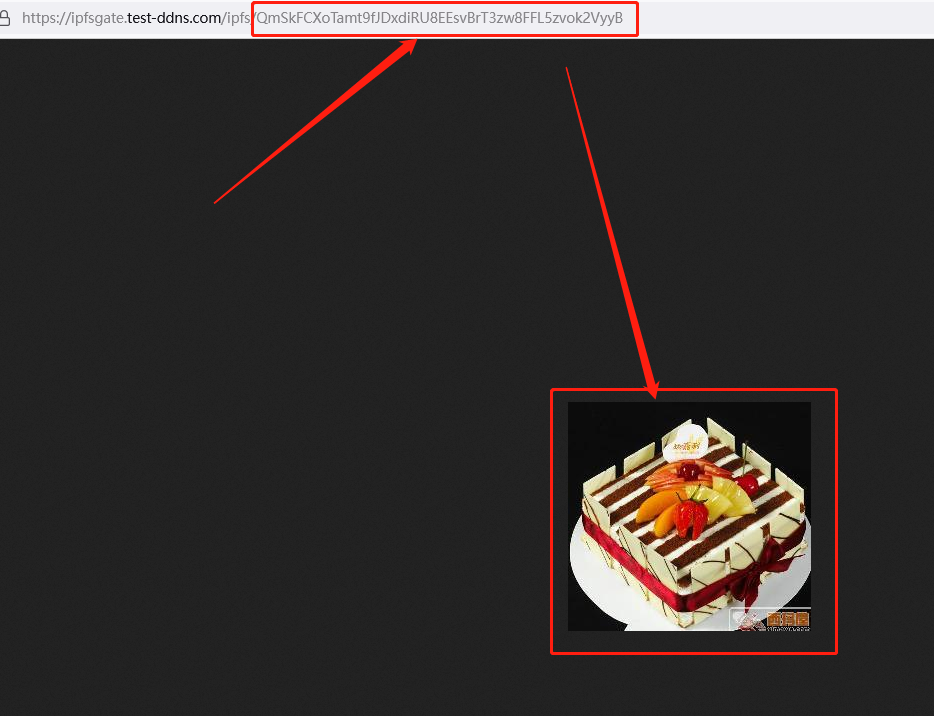
wget https://files.sweetysoft.com/image_after_2022_06_30/4390/cake.JPG
./ipfs-cluster-ctl add cake.JPG
added QmSkFCXoTamt9fJDxdiRU8EEsvBrT3zw8FFL5zvok2VyyB cake.JPG
./ipfs-cluster-ctl status
QmSkFCXoTamt9fJDxdiRU8EEsvBrT3zw8FFL5zvok2VyyB:
    > cluster1             : PINNED | 2022-09-03T10:07:35Z | Attempts: 0 | Priority: false
    > cluster2             : PINNED | 2022-09-03T10:07:35Z | Attempts: 0 | Priority: false
    > cluster0             : PINNED | 2022-09-03T10:07:35Z | Attempts: 0 | Priority: false
看一下docker ps :
CONTAINER ID   IMAGE                           COMMAND                  CREATED          STATUS                             PORTS                                         NAMES
38348ac7940c   ipfs/ipfs-cluster:latest        "/sbin/tini -- /usr/…"   11 minutes ago   Up 13 seconds                      127.0.0.1:9094->9094/tcp, 9095-9096/tcp       cluster0
899ceac01694   ipfs/ipfs-cluster:latest        "/sbin/tini -- /usr/…"   11 minutes ago   Up 14 seconds                      9094-9096/tcp                                 cluster2
9f7ceb813258   ipfs/ipfs-cluster:latest        "/sbin/tini -- /usr/…"   11 minutes ago   Up 13 seconds                      9094-9096/tcp                                 cluster1
5ea79f07e8f2   ipfs/go-ipfs:latest             "/sbin/tini -- /usr/…"   11 minutes ago   Up 14 seconds (health: starting)   4001/tcp, 5001/tcp, 8080-8081/tcp, 4001/udp   ipfs0
5c53d3ccbb18   ipfs/go-ipfs:latest             "/sbin/tini -- /usr/…"   11 minutes ago   Up 14 seconds (health: starting)   4001/tcp, 5001/tcp, 8080-8081/tcp, 4001/udp   ipfs1
d5d49cca892f   ipfs/go-ipfs:latest             "/sbin/tini -- /usr/…"   11 minutes ago   Up 15 seconds (health: starting)   4001/tcp, 5001/tcp, 8080-8081/tcp, 4001/udp   ipfs2
根据 docker log, 我们可以知道,有 ipfs cluster 运行在了docker 的 5001端口,该docker app映射到了 host 的9094, 9095, 9096端口。
所以我们访问:curl localhost:9094/webui
{"code":404,"message":"not found"}
就说明它一定是运行好了。
安装ipfs cli
wget https://dist.ipfs.tech/kubo/v0.15.0/kubo_v0.15.0_linux-amd64.tar.gz
tar zxvf kubo_v0.15.0_linux-amd64.tar.gz kubo/
cd kubo/
sudo bash install.sh
ipfs gateway
gateway会自动的跑起来。跑在本地的8080端口
ipfs init
generating ED25519 keypair...done
peer identity: 12D3KooWAGyrZSCiGpVqPEH5tBAt8opu7rXhJWnkYMsxbzUo1xTc
initializing IPFS node at /home/ubuntu/.ipfs
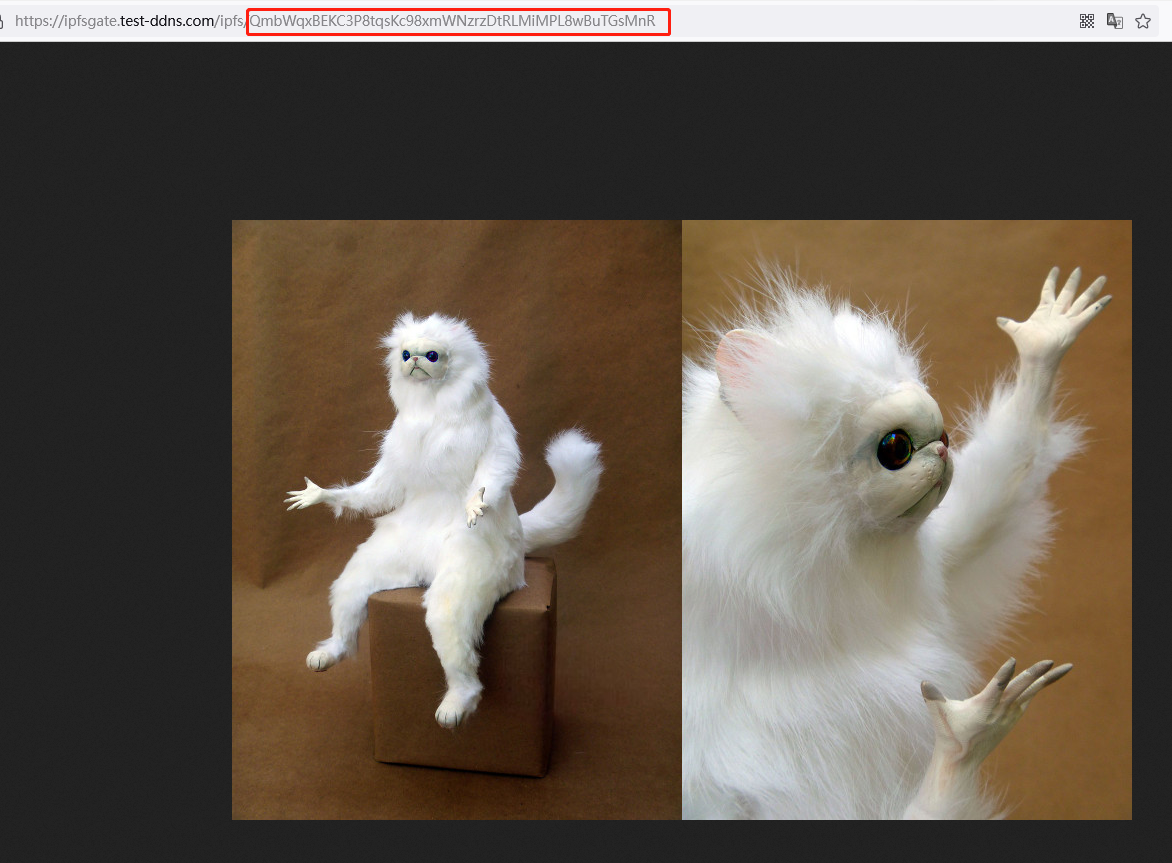
ipfs add cat.jpg
added QmbWqxBEKC3P8tqsKc98xmWNzrzDtRLMiMPL8wBuTGsMnR cat.jpg
 116.96 KiB / 116.96 KiB [=========================================================================================================================================================] 100.00%
然后就可以在浏览器中查看了:
ipfs 文件的类型:
如何根据CID查看IPFS的文件夹结构:
curl -s "https://ipfsgate.test-ddns.com/api/v0/ls?arg=bafybeigsn4u4nv4uyskxhewakk5m2j2lluzhsbsayp76zh7nbqznrxwm7e"
或者:
curl -s "https://ipfsgate.test-ddns.com/api/v0/ls?arg=QmbKu58pyq3WRgWNDv9Zat39QzB7jpzgZ2iSzaXjwas4MB"

得到结果:

{
    "Objects":[
        {
            "Hash":"bafybeigsn4u4nv4uyskxhewakk5m2j2lluzhsbsayp76zh7nbqznrxwm7e",
            "Links":[
                {
                    "Name":"categories",
                    "Hash":"QmWs7KxQFETtzxvVqgPdBD3XodKZ8bCbwfveSJ1wpiChDp",
                    "Size":0,
                    "Type":1,   //  这个 Type 就是对应了下面的 文件夹
                    "Target":""
                },
                {
                    "Name":"css",
                    "Hash":"QmNTP17BS7AEHn4TuiyKYtKq1StCMxxXRSt4gpiTdyuHRB",
                    "Size":0,
                    "Type":1,
                    "Target":""
                },
                {
                    "Name":"feed.xml",
                    "Hash":"QmZtRErKnWkENDUUx6raBHteNfwm4NMyBpYGkzbpx2f92C",
                    "Size":26633,
                    "Type":2,
                    "Target":""
                },
                {
                    "Name":"general",
                    "Hash":"QmanyNmB6wGyiJzqSgFqtA7baHqkWyR7FWKy4oh8K6usD7",
                    "Size":0,
                    "Type":1,
                    "Target":""
                },
                {
                    "Name":"images",
                    "Hash":"QmUukvFKSdC867HJpgdiNiS9nWEvnJ2RAsjHKGJGzU6wYp",
                    "Size":0,
                    "Type":1,
                    "Target":""
                },
                {
                    "Name":"index.html",
                    "Hash":"QmQvB7Y3LkjWLdKEfT8ojLeKhLpfwV4NPNDrGGvnzMjedE",
                    "Size":23258,
                    "Type":2,
                    "Target":""
                },
                {
                    "Name":"scripts",
                    "Hash":"QmRyoGE1B1NvhqKX6Vjs7dH7skDd85hgoKoSDFYMhVSn4D",
                    "Size":0,
                    "Type":1,
                    "Target":""
                }
            ]
        }
    ]
}

Type 的含义:
    enum DataType {
        Raw = 0;
        Directory = 1;
        File = 2;
        Metadata = 3;
        Symlink = 4;
        HAMTShard = 5;
    }